
Setting up a home studio used to require serious money. A decent audio interface alone cost over a thousand dollars not long ago. Professional microphones started at five hundred. Studio monitors were eight hundred a pair. The whole thing felt financially out of reach for most people.
In 2026 that has completely changed. A $170 interface today has better preamps than a $1,000 interface from 2010. A $100 condenser microphone captures detail that rivals $500 models from the previous decade. You can build a genuinely capable home studio for $500 to $800 and record results that would have cost thousands just a few years ago. Coverartplace
This guide covers exactly what you need, what to buy first and what to skip until later.
What You Actually Need to Start
Before listing products it helps to understand what each piece of gear actually does and why it matters. A beginner home studio needs five things:
An audio interface — connects your microphone and instruments to your computer and converts analog sound to digital. The most important purchase you will make.
A microphone — captures your voice or instrument. The type depends on what you are recording.
Studio monitors or headphones — lets you hear your recordings accurately so you can mix properly.
A DAW (Digital Audio Workstation) — the software where you record, edit and mix everything.
Acoustic treatment — controls how sound behaves in your room. Often overlooked but genuinely important.
That is genuinely all you need. Everything else is optional until you outgrow the basics.
The Audio Interface: Focusrite Scarlett 2i2
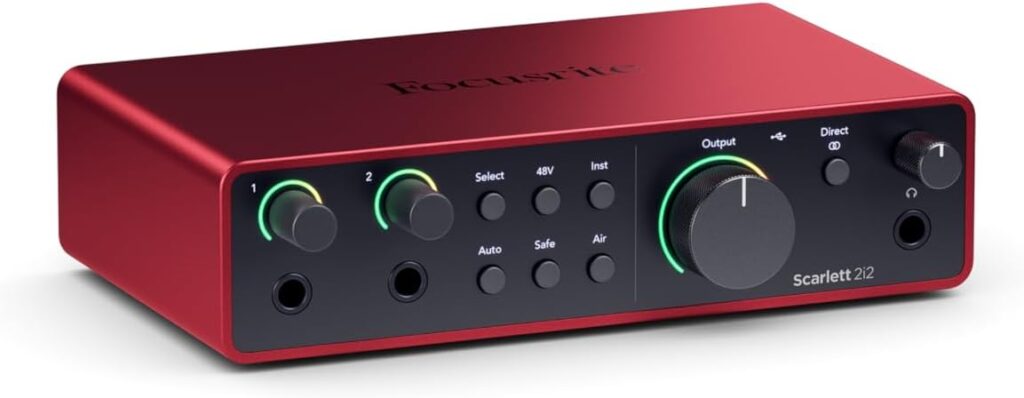
The Focusrite Scarlett 2i2 is the most recommended beginner interface on the planet. Two preamps with switchable Air mode for vocal presence, USB-C connectivity and rock solid drivers on Windows. Two inputs means you can record vocals and guitar simultaneously or use two microphones at once. The included software bundle adds real value — you get a stripped down version of Ableton Live and a collection of plugins that would otherwise cost hundreds. Coverartplace
If your budget is tight the Scarlett Solo handles one input at a time and costs less. If you think you will ever record two sources simultaneously go straight to the 2i2.
Pros:
- Most widely recommended beginner interface available
- Clean transparent preamps that capture every detail
- USB-C connectivity works with any modern laptop
- Comes with software bundle worth hundreds of dollars
- Two inputs handle most beginner recording scenarios
Cons:
- Solo version only handles one input at a time
- No MIDI connectivity
- Requires USB power — not battery operated
Buy the Focusrite Scarlett 2i2 on Amazon
For a more detailed breakdown check out our full guide to the best audio interfaces for beginners.
The Microphone: Audio-Technica AT2020
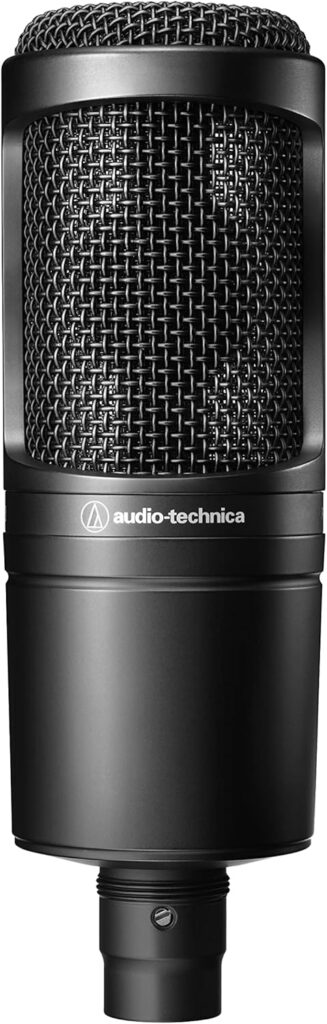
The Audio-Technica AT2020 is the microphone that appears in more beginner home studios than any other and the reason is simple — it sounds significantly better than its price suggests. The large diaphragm condenser design captures vocals with clarity and detail that budget dynamic microphones simply cannot match. It requires phantom power from your interface which the Scarlett 2i2 provides automatically. The cardioid polar pattern picks up sound from the front and rejects noise from the sides and rear making it forgiving in untreated rooms.
Pair it with an inexpensive pop filter and boom stand and you have a vocal recording setup that produces results beginners consistently find surprising.
Pros:
- Large diaphragm condenser sound at an entry level price
- Cardioid pattern rejects room noise effectively
- Works with any interface that provides phantom power
- Widely reviewed with thousands of verified buyer experiences
- Includes shock mount and carrying pouch
Cons:
- Requires phantom power — cannot plug directly into a computer
- Condenser design picks up more room noise than dynamic microphones
- Needs a pop filter and stand which are sold separately
Buy the Audio-Technica AT2020 on Amazon
Studio Monitors: PreSonus Eris E3.5
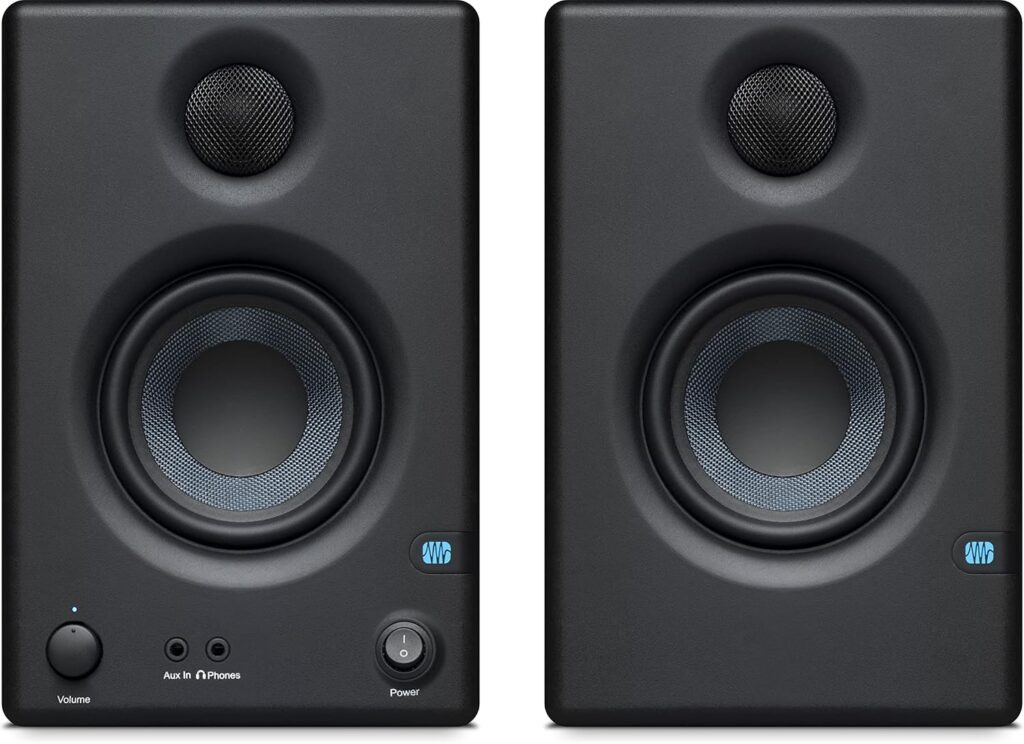
For beginners on a budget the PreSonus Eris E3.5 delivers honest accurate sound reproduction in a compact desktop design that fits any workspace. Studio monitors are different from regular speakers — they are designed to reveal the truth in your recordings rather than make everything sound flattering. Mixing on accurate monitors means your recordings translate well to other playback systems — car speakers, phone speakers, earbuds — rather than only sounding good in your studio.
The Eris E3.5 includes acoustic tuning controls that let you compensate for common room problems without expensive treatment. Both RCA and TRS inputs handle virtually any connection scenario.
Pros:
- Accurate flat response reveals what is actually in your recordings
- Acoustic tuning controls compensate for room problems
- Compact design fits on any desk
- Both RCA and TRS inputs for flexible connectivity
- Front panel volume control for easy adjustment
Cons:
- Small 3.5 inch woofers limit low end extension
- Not suitable for high volume listening
- Room treatment still recommended for accurate mixing
Buy the PreSonus Eris E3.5 on Amazon
Headphones: Sennheiser HD 280 Pro
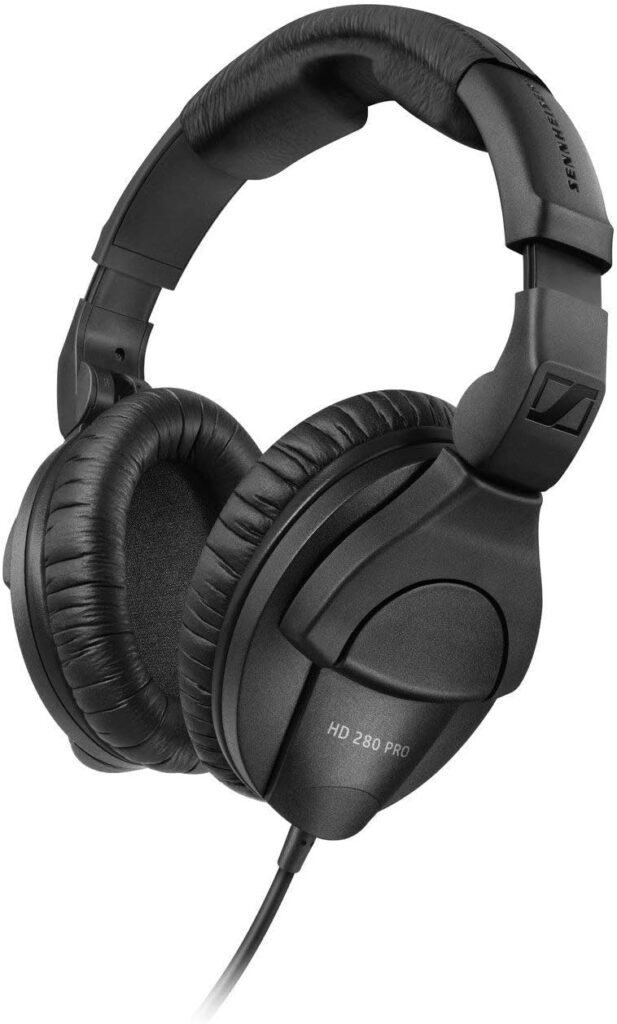
For more monitoring headphone options check out our guide to the best headphones under $200.
Pros:
- Professional closed back design blocks outside noise during recording
- Accurate flat response ideal for critical listening and mixing
- Foldable design for easy storage and portability
- Robust build quality designed for studio use
- Widely used in professional recording environments
Cons:
- Wired only
- Clamping force can feel tight initially
- Requires burn in period before sound fully opens up
Buy the Sennheiser HD 280 Pro on Amazon
DAW Software: GarageBand or Reaper
This is the one item on this list you may not need to buy at all.
If you have a Mac — GarageBand is already installed and free. It is genuinely capable software that professional musicians have used to record and release real music. Start here before spending anything on a DAW.
If you have a Windows PC — Reaper is the recommendation. It costs $60 for a personal license and is one of the most powerful and flexible DAWs available at any price. The free trial is fully functional with no time limit so you can use it extensively before deciding whether to pay.
Both options handle everything a beginner needs — unlimited tracks, professional effects, mixing and mastering tools. Save your budget for hardware.
Acoustic Treatment: Basics That Actually Help
You do not need to cover your walls in foam to get decent recordings. A few targeted improvements make a meaningful difference without major investment.
A reflection filter — a small curved panel that attaches to your microphone stand and blocks room reflections from reaching your microphone. The SE Electronics Reflexion Filter is the most widely recommended option and makes a noticeable difference in vocal recordings specifically.
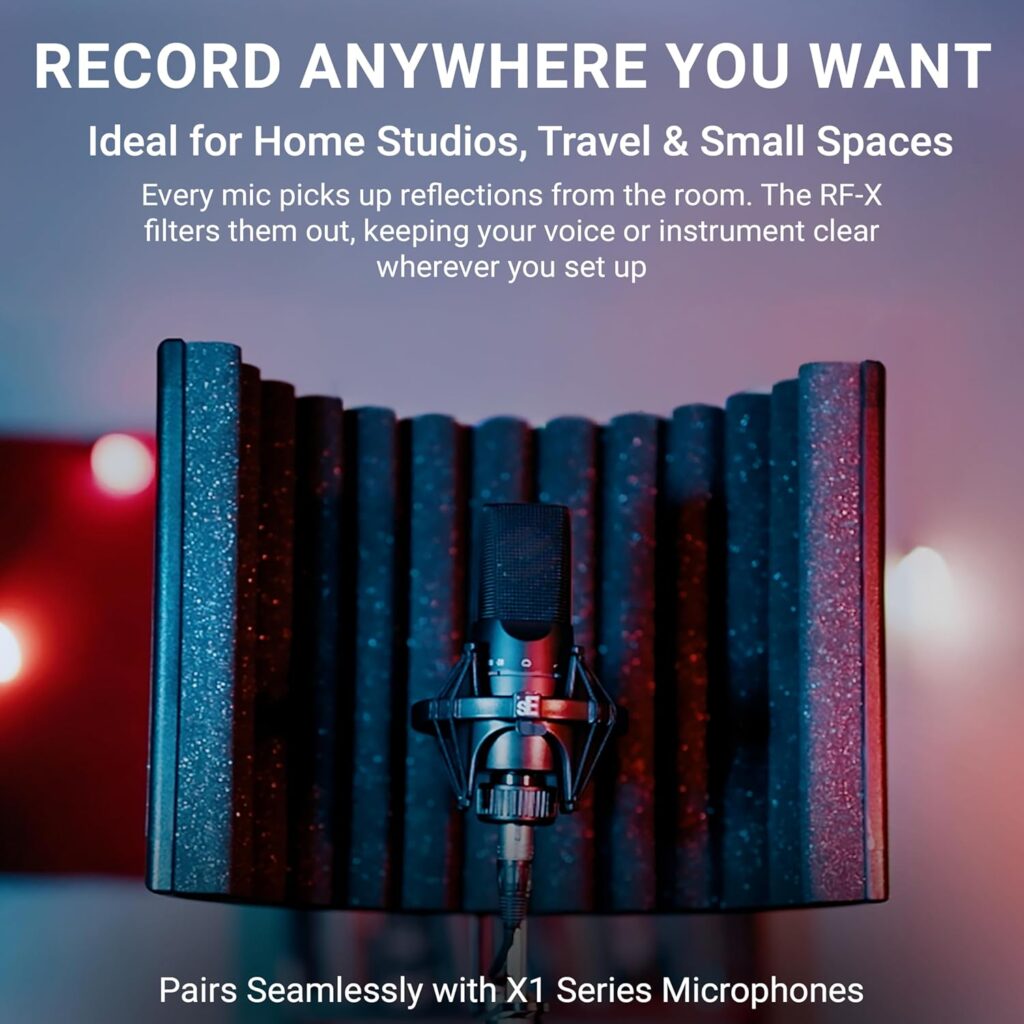
Moving blankets — unglamorous but genuinely effective. Hanging thick blankets on walls behind and beside you reduces echo dramatically for almost no cost.
Avoid recording in rooms with hard parallel walls and high ceilings — bathrooms and kitchens are the worst choices. Bedrooms with carpet, curtains and furniture are naturally better treated than empty rooms.
What to Buy First
If budget is a concern buy in this order:
First — audio interface and microphone. You cannot record anything without these.
Second — headphones for monitoring. You need to hear what you are recording.
Third — studio monitors when budget allows. Mixing on monitors produces better results than mixing on headphones long term.
Fourth — acoustic treatment as needed. Start with a reflection filter and add more if recordings sound echoey.
Final Verdict
Building a home recording studio in 2026 is more accessible than it has ever been. The Focusrite Scarlett 2i2 and Audio-Technica AT2020 together form the foundation that thousands of successful home producers have built on. Add the PreSonus Eris E3.5 monitors and Sennheiser HD 280 Pro headphones and you have a complete setup capable of producing genuinely professional results.
Start with the interface and microphone. Learn your gear thoroughly before adding anything else. The quality of your recordings will improve far more from understanding what you already own than from buying more equipment you are not ready to use yet.